
|
Register or Log In To remove these advertisements. |
|
|
|
|||||||
 |
|
|
Thread Tools | Display Modes |
 06-10-2025, 09:58 PM
|
#1 |
|
Registered User
Join Date: Jul 2004
Location: Broken Arrow, Ok
Posts: 16
|
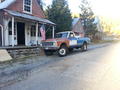
New member finally got pics uploaded.
Just purchased a 1971 shorty 4x4 frame up restoration and would like to post pictures but having problems. It tells me I need a token or to contact the administrator. I was a member back in 2001 and finally got the truck of my dreams and wanted to share. Thanks for any help.
Chuck Finally got a few pics uploaded. Thanks for your help guys. Chuck Last edited by fireman_in_tulsa; 06-12-2025 at 09:45 AM. Reason: Uploaded pictures |

|

|
|
06-10-2025, 10:20 PM
|
#2 |
|
Proprietor of Dale's Corner
Join Date: Nov 2012
Location: Vacaville , CA
Posts: 16,866
|
Re: New member can someone help me with posting pictures
Make your pics smaller.I normally use 1140 pixels.
__________________
"Some Days Chickens And Some Days Feathers" Dale XNGH ECV Sam Brannan 1004 R.I.P. 67ChevyRedneck R.I.P. Grumpy Old Man R.I.P. FleetsidePaul |
|
|
|
|
06-10-2025, 10:31 PM
|
#3 |
|
Senior Member
Join Date: Mar 2023
Location: Springfield oregon
Posts: 385
|
Re: New member can someone help me with posting pictures
Click advanced post
Then clickmanage files Chose and let download. They will pop up in your post |
|
|
|
|
06-11-2025, 10:21 AM
|
#4 |
|
Senior Member
Join Date: Jan 2012
Location: Texan, back in TX
Posts: 2,209
|
Re: New member can someone help me with posting pictures
The site will reduce the image size for you if you are using the Manage Attachments button on the forum. You just can't do all five images at once. I have successfully uploaded five images that were originally 4032 x 3024 without issue using the following steps.
Click the Manage Attachments button Browse for your first image, select it, Browse for your second image, select it, then click the Upload button. Follow the same steps to select your third and fourth images then click Upload again. Follow those same steps and then Upload your fifth image then click "Close this window" in the upper right hand corner of the Manage Attachments window. Then click the Submit New Thread, Submit Reply, or Preview Post button, depending on what you are trying to do. Sit back and and admire your images which have been automatically resized to the correct size without the use of any outside software. |
|
|
|
|
06-11-2025, 12:56 PM
|
#5 |
|
Registered User
Join Date: Jul 2004
Location: Broken Arrow, Ok
Posts: 16
|
Re: New member can someone help me with posting pictures
Still having issues getting the pictures to upload. It’s an iPhone so that may be the problem. I’m currently at work but will log on on computer this evening and attempt to get some pictures for you guys.
Thanks for all your help! Chuck |
|
|
|
|
06-11-2025, 01:22 PM
|
#6 | |
|
Senior Member
Join Date: Dec 2009
Location: TN.
Posts: 9,873
|
Re: New member can someone help me with posting pictures
Quote:
Here is my routine. I e-mail the picture to my e-mail When I open the picture in my mail Then I rename it and click save. When it is saved to the computer, Then I click edit and crop the picture ever so slightly. Now you are ready to load up to 5 pictures at a time. I always hit preview first to see if the picture flipped. I have learned that if the picture is taller than it is wide it tends to flip sideways. Hope this helps. 
__________________
________________________________________________________________________________________ ____________________________________________ The early bird gets the worm, But the second mouse gets the cheese 85 Chevy K-20 63 Impala (my high school car) http://67-72chevytrucks.com/vboard/s...Crew Cab Build |
|
|
|
|
|
06-11-2025, 01:29 PM
|
#7 |
|
Senior Member
Join Date: Jan 2012
Location: Texan, back in TX
Posts: 2,209
|
Re: New member can someone help me with posting pictures
I was going to ask if you were posting from a computer or iPhone but decided not to. I saw you had posted pics in a thread back in 2004 so I knew that you knew how to do it at some point so I figured file size was the issue.
However, knowing that you are trying to post pics from a smartphone opens up another can of worms, image orientation. vBulleting forums, which this forum is one of, have a problem with images taken on modern phones. It has to do with exif data stored when the images are taken. One of the many things exif data controls is the orientation (rotation) of the image. The forum will NOT automatically rotate your pictures to the proper orientation, hence the prevalence of improperly rotated images on vBulletin based forums. That's why I post my images from my computer even though they are taken with my iPhone. There are many ways to correct image rotation but it depends on your device, iPhone, PC or Mac. One easy way on a PC is to open the image in Microsoft Paint (not Paint 3D), it will display as it would look on the forum. If it looks incorrect, select the correct option under the "Rotate" button. Once the image looks right side up, go to File > Save. Simple as that. |
|
|
|
|
06-11-2025, 03:19 PM
|
#8 | |
|
Registered User

Join Date: Oct 2022
Location: Oshawa, On. Canada
Posts: 53
|
Re: New member can someone help me with posting pictures
Quote:
|
|
|
|
|
|
06-11-2025, 03:37 PM
|
#9 | |
|
Senior Member
Join Date: Mar 2023
Location: Springfield oregon
Posts: 385
|
Re: New member can someone help me with posting pictures
Quote:
That will cause problems posting or even looking maybe. I remember some problems I had. |
|
|
|
|
|
06-11-2025, 04:04 PM
|
#10 | |
|
Senior Member
 
Join Date: Oct 2014
Location: Eagle, ID
Posts: 3,406
|
Re: New member can someone help me with posting pictures
Quote:
|
|
|
|
|
|
06-12-2025, 08:18 AM
|
#11 |
|
Registered User
Join Date: Jul 2004
Location: Broken Arrow, Ok
Posts: 16
|
Re: New member can someone help me with posting pictures
Managed to get a few pictures loaded from my I phone. Will post many more when I’m not at work. Have a great day Chevy brothers!
Chuck |
|
|
|
|
06-12-2025, 10:58 AM
|
#12 |
|
Senior Member
Join Date: Dec 2009
Location: TN.
Posts: 9,873
|
Re: New member can someone help me with posting pictures
Very nice

__________________
________________________________________________________________________________________ ____________________________________________ The early bird gets the worm, But the second mouse gets the cheese 85 Chevy K-20 63 Impala (my high school car) http://67-72chevytrucks.com/vboard/s...Crew Cab Build |
|
|
|
|
06-12-2025, 11:20 AM
|
#13 |
|
Registered User
Join Date: Jul 2004
Location: Broken Arrow, Ok
Posts: 16
|
Re: New member can someone help me with posting pictures
Thank you very much! It has a 427 big block. I have the build sheet for the engine and basically everything else the previous owner did. Will post more pics as soon as I can.
|
|
|
|
|
06-12-2025, 03:11 PM
|
#14 |
|
Registered User
Join Date: Oct 2022
Location: Oshawa, On. Canada
Posts: 53
|
Re: New member can someone help me with posting pictures
Nice under carriage!
Truck looks super clean. |
|
|
|
|
| Bookmarks |
|
|


 Linear Mode

